
 Send Email
 Whatsapp


What Are the Different Types of Solar Connectors?
What Are the Different Types of Solar Connectors?

Solar Connectors play a vital role in keeping your solar power system efficient and safe. They ensure a secure connection between panels and cables, allowing electricity to flow without interruptions. Choosing the right connector can make a big difference in your system's performance. For example, the popular mc4 connector is known for its reliability and ease of use. By understanding these connectors, you can avoid compatibility issues and maximize your system's lifespan.
Key Takeaways
- Understanding the different types of solar connectors, such as MC4, MC3, Helios H4, SolarLok, and Radox, is essential for optimizing your solar power system's performance.
- The MC4 connector is the industry standard due to its reliability, weather resistance, and secure locking mechanism, making it suitable for most solar installations.
- Always check the current and voltage ratings of connectors to ensure they meet your system's requirements, as using inadequate connectors can lead to overheating or system failure.
- When connecting solar connectors, use the right tools, including a wire stripper and crimping tool, to ensure secure and reliable connections.
- Mixing different types of connectors can create compatibility issues; if necessary, use high-quality adapters, but aim to standardize your system with MC4 connectors for better performance.
- Regularly inspect your solar connectors for wear and damage to maintain system efficiency and safety, ideally at least once a year.
Types of Solar Connectors
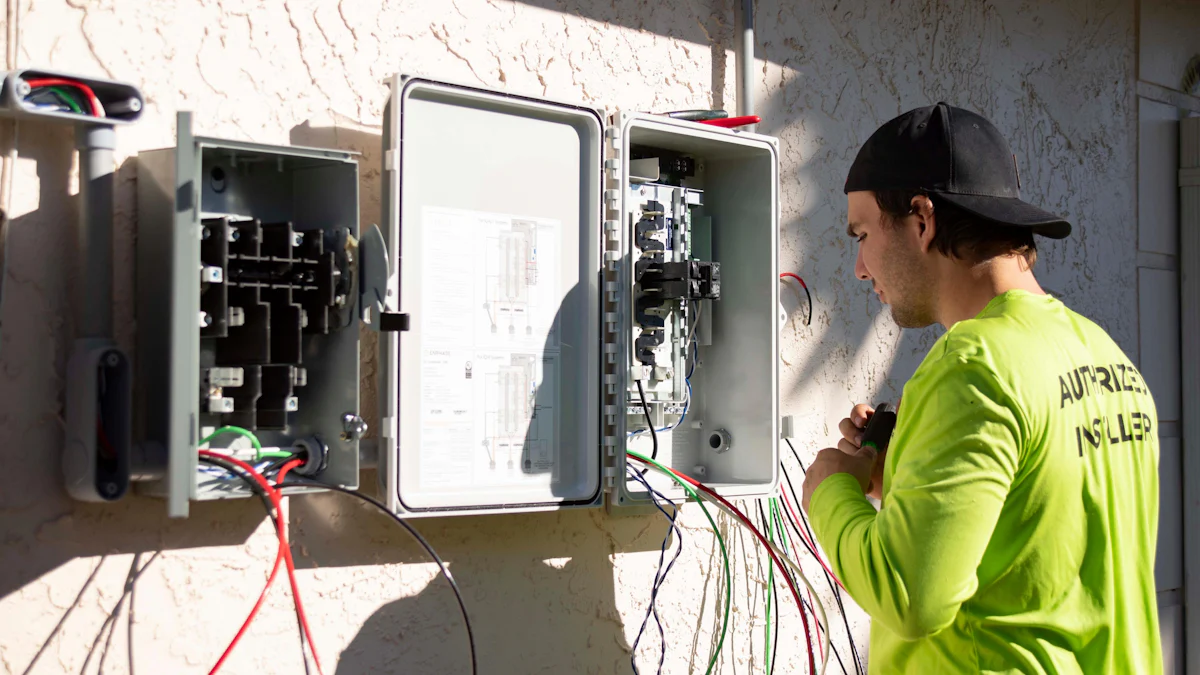
When setting up a solar power system, understanding the different types of connectors is crucial. Each connector type has unique features that cater to specific needs. Let’s explore the most common ones.
MC4 Connector
Features and specifications
The MC4 connector is the most widely used connector in solar installations today. It is designed for single-contact use and ensures a secure, weatherproof connection. The "MC4" stands for "Multi-Contact, 4 mm," referring to the diameter of its contact pin. These connectors are built with UV-resistant materials, making them ideal for outdoor use. They also have a high IP rating, which means they are resistant to dust and water. You’ll find both male and female configurations, which makes them versatile for various setups.
Advantages and limitations
The MC4 connector offers several advantages. Its locking mechanism prevents accidental disconnections, ensuring reliability. It supports high current and voltage ratings, making it suitable for large-scale systems. However, you’ll need a special tool to connect or disconnect them, which can be inconvenient for quick adjustments. Despite this, the MC4 connector remains the industry standard due to its durability and compatibility.
MC3 Connector
Features and specifications
The MC3 connector is an older version of the MC4. It features a simpler design without the locking mechanism found in the MC4. This connector is smaller and lighter, which makes it easier to handle. However, it has a lower current-carrying capacity compared to the MC4. Like the MC4, it is also weather-resistant but less robust for long-term outdoor use.
Advantages and limitations
The MC3 connector is easy to install and doesn’t require special tools. Its lightweight design makes it a good choice for smaller systems or temporary setups. However, the lack of a locking mechanism can lead to accidental disconnections. It is also less compatible with modern systems, as most manufacturers have shifted to the MC4 connector.
Helios H4 Connector
Features and specifications
The Helios H4 connector is often seen as an alternative to the MC4. It shares many similarities, including a high IP rating and UV-resistant materials. This connector is intermatable with the MC4, meaning you can use them together in certain setups. It also features a robust locking system, ensuring a secure connection.
Advantages and limitations
The Helios H4 connector provides excellent durability and reliability. Its compatibility with the MC4 connector adds flexibility to your system. However, like the MC4, it requires a special tool for installation and removal. While it’s a strong contender, it hasn’t replaced the MC4 as the go-to option for most installations.
SolarLok Connector
Features and specifications
The SolarLok connector is designed to provide a reliable and efficient connection for your solar power system. It features a compact design that makes it easy to handle during installation. The connector is built with high-quality materials, ensuring durability and resistance to environmental factors like UV exposure and moisture. Its IP67 rating means it offers excellent protection against dust and water, making it suitable for outdoor use. The SolarLok connector also supports high current and voltage ratings, which makes it a good choice for both residential and commercial systems.
Advantages and limitations
The SolarLok connector stands out for its ease of installation. You don’t need any special tools to connect or disconnect it, which saves time and effort. Its robust design ensures a secure connection, reducing the risk of power loss. However, it’s not as widely used as the MC4 connector, so finding compatible components might be a challenge. If you’re working on a system that requires standardization, this could limit your options. Despite this, the SolarLok connector remains a reliable choice for specific applications.
Radox Connector
Features and specifications
The Radox connector is known for its exceptional durability and performance in extreme conditions. It’s built with advanced materials that can withstand high temperatures and harsh environments. This connector is flame-retardant and resistant to chemicals, making it ideal for industrial and large-scale solar installations. Its compact design allows for easy integration into tight spaces. The Radox connector also features a high IP rating, ensuring protection against dust and water ingress.
Advantages and limitations
The Radox connector excels in demanding environments. Its ability to handle extreme temperatures and resist chemical exposure makes it a top choice for industrial applications. You’ll appreciate its long lifespan, which reduces the need for frequent replacements. However, its specialized design means it’s not as versatile as other connectors like the MC4. It may also require specific tools or expertise for installation. If you’re setting up a standard residential system, this connector might be more than you need. But for challenging conditions, it’s hard to beat.
Comparing Solar Connectors
When choosing a solar connector, understanding how they compare can help you make the best decision for your system. Let’s break down the key specifications, safety mechanisms, and compatibility factors that set these connectors apart.
Key Specifications
Current rating
The current rating tells you how much electrical current a connector can handle safely. For example, the popular MC4 connector supports high current levels, making it suitable for large-scale solar systems. Always check the current rating to ensure it matches your system's requirements. Using a connector with a lower rating than needed can lead to overheating or even system failure.
Voltage rating
Voltage rating indicates the maximum voltage a connector can handle without breaking down. Most connectors, including the MC4 connector, are designed to manage high voltages, which is essential for efficient energy transfer in solar systems. Choosing a connector with the right voltage rating ensures your system operates safely and effectively.
IP (Ingress Protection) rating
The IP rating measures a connector's resistance to dust and water. A higher IP rating means better protection against environmental factors. For instance, connectors like the MC4 and Helios H4 have high IP ratings, making them ideal for outdoor installations. Always consider the IP rating if your system will face harsh weather conditions.
Safety Mechanisms
Locking systems
A reliable locking system prevents accidental disconnections, which could disrupt your solar power flow. The MC4 connector features a robust locking mechanism that ensures a secure connection. This feature is especially important for systems exposed to vibrations or movement, such as rooftop installations.
Weather resistance
Weather resistance is crucial for outdoor solar systems. Connectors like the MC4 and Radox are built with UV-resistant materials and can withstand extreme temperatures. This durability helps maintain a stable connection, even in challenging environments. Always choose connectors designed to handle the specific weather conditions in your area.
Compatibility and Standardization
Interchangeability between brands
Interchangeability allows you to mix and match components from different manufacturers. For example, the MC4 connector is compatible with other connectors like the Helios H4. This flexibility makes it easier to expand or modify your system without replacing all components. Always verify compatibility before making a purchase.
Industry standards (e.g., MC4 as the standard)
The MC4 connector has become the industry standard due to its reliability and widespread use. Many manufacturers design their systems to work seamlessly with MC4 connectors, ensuring compatibility across brands. Choosing a standardized connector simplifies installation and reduces the risk of compatibility issues.
Are Solar Connectors Universal?
When setting up a solar power system, you might wonder if all connectors work together seamlessly. The idea of universal connectors sounds convenient, but the reality is more nuanced. Let’s dive into the specifics to help you understand how standardization and mixing different connector types impact your system.
Standardization of MC4 Connectors
Why MC4 is the industry standard
The MC4 connector has earned its place as the industry standard for solar installations. Its design prioritizes reliability and safety, which are critical for long-term performance. The connector’s locking mechanism ensures a secure fit, preventing accidental disconnections. Its high IP rating protects against dust and water, making it ideal for outdoor use. Manufacturers across the globe have adopted this connector, so you’ll find it compatible with most modern solar panels and components. This widespread adoption simplifies installation and reduces compatibility headaches.
Limitations of universality
Despite its popularity, the MC4 connector isn’t entirely universal. While many brands produce MC4-compatible components, slight variations in manufacturing can lead to mismatches. For example, some connectors may require specific tools for proper assembly or disassembly. Additionally, older systems using MC3 connectors or other proprietary designs may not integrate easily with MC4 connectors. These limitations mean you need to double-check compatibility before mixing components, even when they claim to follow the MC4 standard.
Mixing Different Connector Types
Risks and challenges
Mixing different types of solar connectors introduces several risks. First, mismatched connectors can create loose or unstable connections, leading to power loss or even electrical hazards. Second, using incompatible connectors may void warranties on your equipment. Third, the lack of a secure locking mechanism in some older connectors, like the MC3, increases the chance of accidental disconnections. These issues can compromise the efficiency and safety of your solar power system.
Adapters and solutions
Adapters offer a practical solution when you need to connect different types of solar connectors. For instance, you can use an adapter to link an MC4 connector with an older MC3 connector. However, adapters add another layer to your system, which can increase resistance and reduce efficiency. To minimize these drawbacks, choose high-quality adapters designed for your specific connectors. If possible, standardize your system by upgrading older components to MC4 connectors. This approach simplifies maintenance and ensures better long-term performance.
How to Connect Solar Connectors

Step-by-Step Guide
Connecting solar connectors might seem tricky at first, but it’s a straightforward process when you have the right tools and follow the proper steps. Here’s a simple guide to help you get started.
Tools required
Before you begin, gather the necessary tools. Having the right equipment ensures a smooth and secure connection. Here’s what you’ll need:
- Wire stripper: To remove the insulation from the cable ends.
- Crimping tool: For attaching the connector to the cable securely.
- MC4 connector tool: To tighten or disconnect MC4 connectors.
- Multimeter: To test the connection and verify polarity.
Make sure your tools are in good condition. Using damaged or worn-out tools can lead to poor connections or even safety hazards.
Crimping and locking process
Once you have your tools ready, follow these steps to connect your solar connectors:
- Strip the cable: Use the wire stripper to remove about 1/4 inch of insulation from the end of the cable. Be careful not to damage the copper strands inside.
- Insert the cable into the connector pin: Slide the exposed copper wire into the metal pin of the connector. Ensure the wire fits snugly.
- Crimp the pin: Use the crimping tool to secure the pin to the cable. Apply firm pressure to create a strong connection. A loose crimp can cause power loss or overheating.
- Assemble the connector: Insert the crimped pin into the connector housing. Push until you hear a click, which indicates the pin is locked in place.
- Tighten the connector: Use the MC4 connector tool to tighten the locking mechanism. This step ensures the connection is secure and weatherproof.
- Test the connection: Use a multimeter to check the voltage and polarity. This step confirms that the connection is working correctly.
Repeat these steps for each connector in your system. Taking your time during this process ensures a reliable and long-lasting connection.
Safety Precautions
Safety should always come first when working with solar connectors. Following these precautions will help you avoid mistakes and ensure a safe installation.
Identifying positive and negative terminals
Solar connectors have distinct positive (+) and negative (-) terminals. Mixing them up can cause serious issues, including equipment damage or electrical hazards. Here’s how to identify them:
- Look for markings: Most connectors have clear "+" and "-" symbols on their housing.
- Use a multimeter: If you’re unsure, test the cable with a multimeter to confirm the polarity.
- Match the colors: Positive cables are usually red, while negative cables are black. However, always double-check, as color coding may vary.
Take your time to verify the terminals before making any connections. This small step can save you from big problems later.
Ensuring secure connections
A loose or weak connection can lead to power loss, overheating, or even fire hazards. Here’s how to make sure your connections are secure:
- Double-check the crimp: Ensure the pin is tightly crimped to the cable. A firm crimp prevents the wire from slipping out.
- Test the locking mechanism: After assembling the connector, pull gently to confirm it’s locked in place. If it feels loose, reassemble it.
- Inspect for damage: Check the connector housing for cracks or wear. Damaged connectors can compromise the system’s safety and efficiency.
By following these precautions, you’ll create a safe and efficient solar power system. Always prioritize safety over speed when working with electrical components.
Choosing the right solar connector plays a key role in keeping your solar power system safe and efficient. It ensures smooth energy flow and reduces the risk of issues over time. The mc4 connector stands out as the top choice for most installations because of its reliability and compatibility with modern systems. Always follow proper installation steps and safety guidelines to avoid potential problems. By taking these precautions, you’ll maximize your system’s performance and lifespan while enjoying a hassle-free solar experience.
FAQ
What is the most commonly used solar connector?
The MC4 connector is the most widely used solar connector today. Its reliability, weather resistance, and secure locking mechanism make it the go-to choice for most solar installations. You’ll find it compatible with nearly all modern solar panels and components.
Can I mix different types of solar connectors?
Mixing different connectors, like MC4 and MC3, can create challenges. Mismatched connectors may lead to loose connections, power loss, or even safety hazards. If you must mix them, use high-quality adapters designed for compatibility. However, upgrading to a standardized connector like MC4 is often the better long-term solution.
Are MC4 connectors waterproof?
Yes, MC4 connectors are waterproof. They have a high IP rating, typically IP67, which means they can withstand dust and temporary water immersion. This makes them ideal for outdoor solar systems exposed to rain or harsh weather.
Do I need special tools to install solar connectors?
For most connectors, especially MC4, you’ll need specific tools. These include a wire stripper, crimping tool, and an MC4 connector tool. These tools ensure a secure and reliable connection. Skipping the proper tools can lead to poor performance or safety risks.
How do I identify the positive and negative terminals on a solar connector?
Look for the "+" and "−" symbols on the connector housing. Positive terminals usually connect to red cables, while negative terminals connect to black ones. If you’re unsure, use a multimeter to confirm the polarity before connecting.
Can I reuse solar connectors after disconnecting them?
You can reuse solar connectors if they remain undamaged. However, always inspect them for wear, cracks, or corrosion before reusing. Damaged connectors can compromise your system’s safety and efficiency.
Why is the MC4 connector considered the industry standard?
The MC4 connector stands out for its durability, ease of use, and compatibility with most solar components. Its locking mechanism ensures a secure connection, while its high IP rating protects against environmental factors. These features have made it the preferred choice for manufacturers and installers worldwide.
What happens if I use a connector with a lower current or voltage rating than required?
Using a connector with insufficient ratings can lead to overheating, power loss, or even system failure. Always check the current and voltage ratings of your connectors to ensure they match your system’s requirements.
How often should I inspect my solar connectors?
Inspect your solar connectors at least once a year. Look for signs of wear, corrosion, or loose connections. Regular maintenance helps prevent issues and ensures your system operates efficiently.
Are there alternatives to MC4 connectors for specific applications?
Yes, alternatives like Helios H4, SolarLok, and Radox connectors cater to specific needs. For example, Radox connectors excel in extreme conditions, while SolarLok connectors offer easy installation. Choose a connector based on your system’s requirements and environment.